
Screenshots
About OBDII Car MPG Demo (Gasoline)
Monitor real-time fuel consumption on your OBD-II compliant gasoline vehicle with OBDII Car MPG Demo (Gasoline). This app connects your Android phone or tablet to your car's engine computer via a Bluetooth OBD-II adapter, automatically detecting your vehicle's protocol and displaying live MPG data alongside engine diagnostics.
To get started, you'll need an OBD-II compliant car, a Bluetooth ELM327 adapter or compatible equivalent, Android 4.1 or newer, and Bluetooth enabled on your device. Once paired, the app auto-detects which of four major OBD-II protocols your car uses—SAE J1850 PWM (Ford), SAE J1850 VPW (GM), ISO 9141-2 (Chrysler and imports), ISO 14320 KWP-2000, or ISO CAN 15765 (most post-2008 models)—so setup is straightforward.
The app calculates fuel consumption using your vehicle's supported parameters. If your car has a Mass Air Flow (MAF) sensor and reports Vehicle Speed (VSS)—which nearly all modern vehicles do—you'll get accurate MPG readings. For vehicles without MAF sensors, you can manually enter your engine displacement and volumetric efficiency to derive a synthetic MAF calculation using the Ideal Gas Law formula. The demo version lets you verify whether your car supports the necessary PIDs before committing.
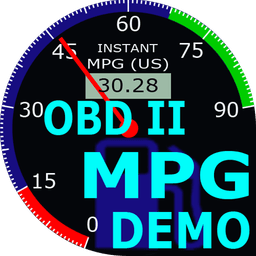
The display features four small analog gauges showing real-time intake air temperature, mass air flow, manifold pressure, and vehicle speed. A large gauge dominates the center, displaying instant MPG. Below that, a data table tracks average MPG, fuel consumption in gallons and liters, and L/100km efficiency. Two odometers log miles and kilometers traveled, while a trip timer counts engine-run time. Fuel-type indicators show whether you're running gasoline or ethanol blends, and gallon units toggle between US and Imperial measurements.
You can customize engine displacement, volumetric efficiency, and fuel type in settings to match your specific vehicle. The app connects to real OBD-II adapters plugged into your car's diagnostic port, or optionally simulates data via the ECU Engine Pro app for testing without a vehicle.
OBDII Car MPG Demo (Gasoline) is designed for drivers who want direct access to their vehicle's fuel economy data without relying on manufacturer dashboards or third-party fuel tracking.
Pros & Cons
Pros
- Real-time MPG monitoring directly from your car's engine computer
- Auto-detects your vehicle's OBD-II protocol for straightforward setup
- Displays comprehensive fuel economy data including average MPG and L/100km
- Works with synthetic MAF calculation for vehicles without native MAF sensors
Cons
- Requires purchasing a separate Bluetooth OBD-II adapter to function
- Limited to vehicles with OBD-II ports, excluding older cars and some imports
- Accuracy depends on your vehicle reporting specific sensor data like MAF or VSS
- Demo version may not reflect real-world accuracy without actual vehicle connection
Related Apps

HWiNFO
Hardware monitoring for Windows—track CPU temp, GPU load, fan speed, voltage in real time.

TransMac
Read Mac drives and DMG files on Windows. Access APFS/HFS+ storage and create disk images.

Advanced SystemCare Free
System optimization tool: clean, repair, and secure your PC. Remove malware, fix errors, and boost performance.

Display Driver Uninstaller (DDU)
Driver uninstaller for GPU and audio — removes residual files for clean Windows updates

Glary Utilities
PC maintenance and optimization suite — clean, repair, and speed up your Windows computer in one action.

Universal ADB Drivers
ADB drivers for Android: Connect any smartphone to Windows PC without manufacturer software.
Latest Articles

Play a free Color Ball Sort Puzzle-style game in your browser (no download)
Oct 6, 2026

Play a free Beach Buggy Racing-style kart racer in your browser (no download)
Oct 6, 2026

Play a free Alto's Adventure-style game in your browser (no download)
Oct 6, 2026

Free online whiteboard like Jamboard: use Quickboard in your browser, no signup
Oct 6, 2026

Free online running pace calculator: splits, race predictor and daily challenge, no download
Oct 6, 2026